Tap the room.
The room responds.

We install Home Assistant, wire in your lights, locks, heat and cameras, and put all of it on a wall touchscreen rendered from the floor plan of your actual home. Then we keep watch on it with Dispatch, the console we built for the job.
Every home reports · 60s Runs locally in your house Serving Connecticut
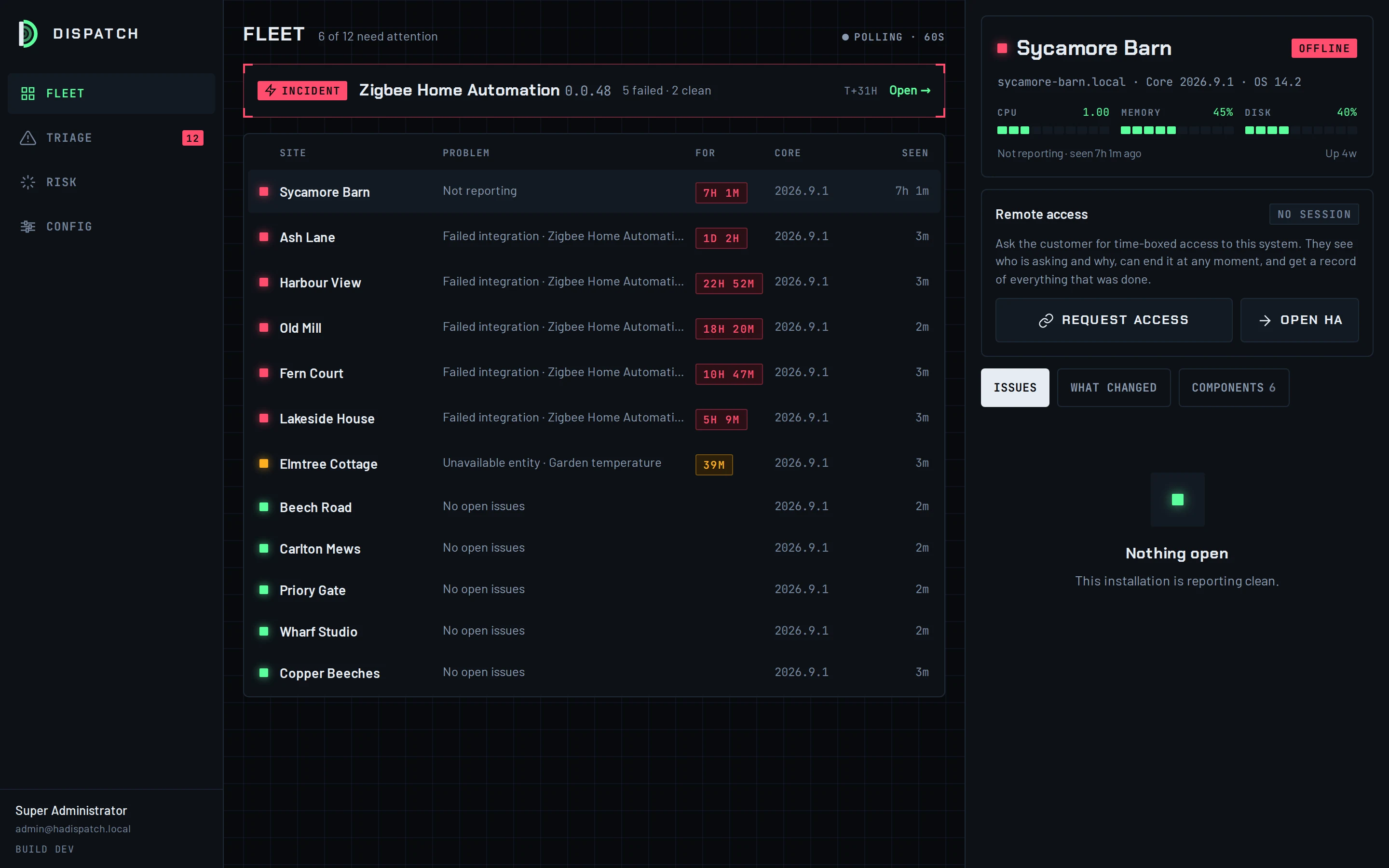
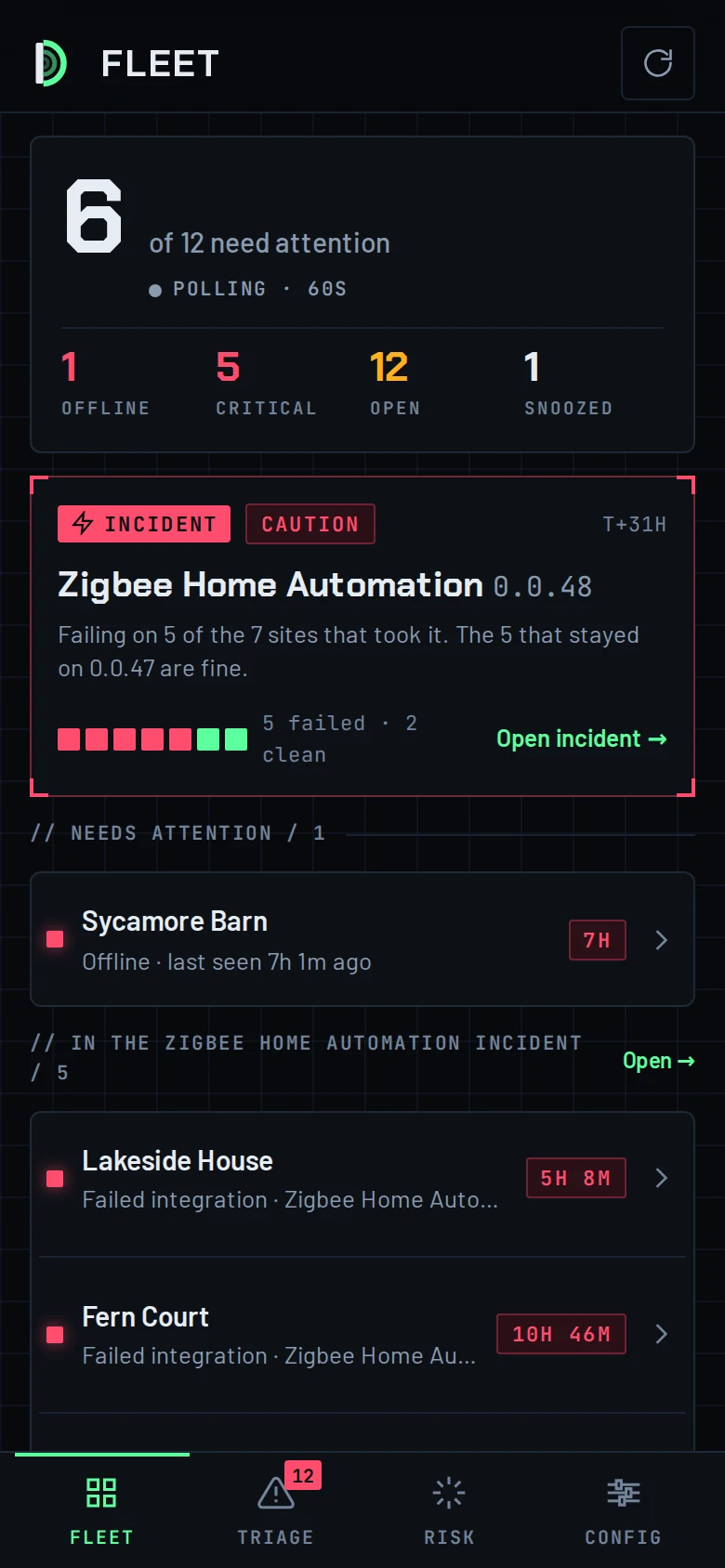
The Dispatch console on a desktop: a fleet of twelve homes ranked by attention, with one incident and one offline site at the top The Dispatch phone app, Fleet screen: 6 of 12 homes need attention, one Zigbee incident

One partnership does the hardware, the software and the screen.

// 01 Install

Hardware, network, devices

We fit the hub, the switches, sensors, locks, thermostats and cameras, and the network that carries them. Gear you already own stays if it can be brought in; what can't is replaced with something that can.

// 02 Configure

Home Assistant, set up to be forgotten

Integrations, automations, backups and updates, configured and written down. Everything runs on a box in your house. The internet going down does not turn your lights off.

// 03 The screen

A touchscreen drawn from your floor plan

We turn your plans into a 3D model of your home and make that the interface. Tap a room to light it, a door to lock it, the thermostat to set it. No menus, no app to hunt through.

LIVING · ONHALLBEDROOM 1 ENTRYKITCHENDINING · ON 71°F · 2 LIGHTS OFFLOCKED SAMPLE PLAN · REPLACED WITH A RENDER OF YOUR HOME

Your house is the interface.

Off-the-shelf dashboards are lists of switches with names you have to remember. We model your home from its plans in CAD, render it, and mount it on a tablet in the wall. The rooms look like your rooms. What is on is lit. What is locked says so.

FromYour floor plans, or measurements we take on the site visit
Modelled inCAD, then 3D with your furniture and fixtures in place
Rendered asOne scene per state, so a lit room, a locked door and a running fan each look like themselves
Mounted onA wall tablet by the door, and the same screen on your phone

Dispatch watches every home we install, so you don't have to.

Dispatch is the monitoring console we built and run ourselves. A small client inside your Home Assistant reports its health every 60 seconds: what is online, what stopped working, and what changed right before it did. We see it on our phones before you notice at home.
Fleet screen: 6 of 12 need attention; 1 offline, 5 critical, 12 open, 1 snoozed; a Zigbee 0.0.48 incident card
FleetRanked by attention, not by nameThe home that needs a visit is at the top. Quiet homes stay quiet. A sensor that flaps twice a day is one bad battery, not five hundred alarms.
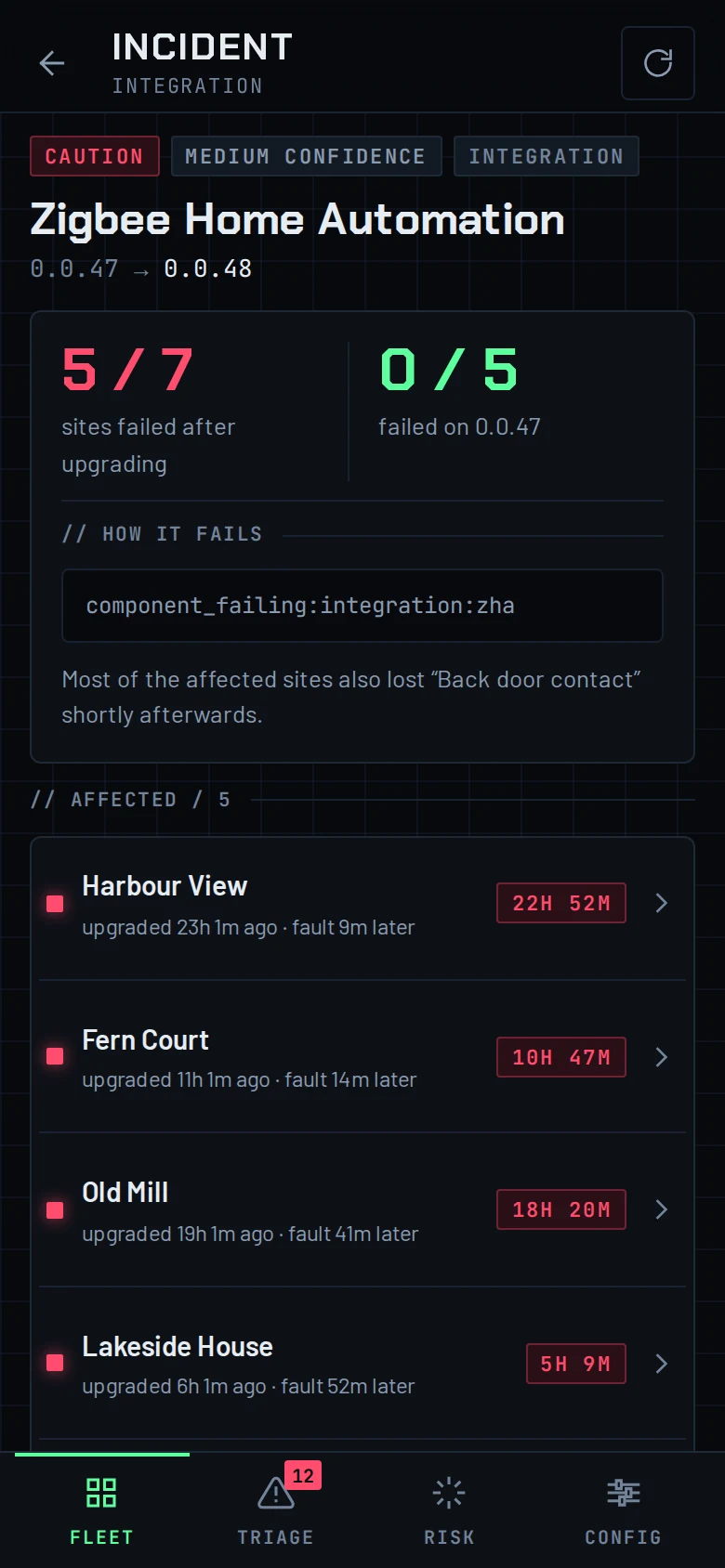
Incident screen: Zigbee Home Automation 0.0.47 to 0.0.48, 5 of 7 sites failed after upgrading, 0 of 5 failed on 0.0.47
IncidentFive broken homes, one problemWhen one bad update breaks several homes, Dispatch shows it as one incident with every site it hit, instead of five separate faults to drive to.
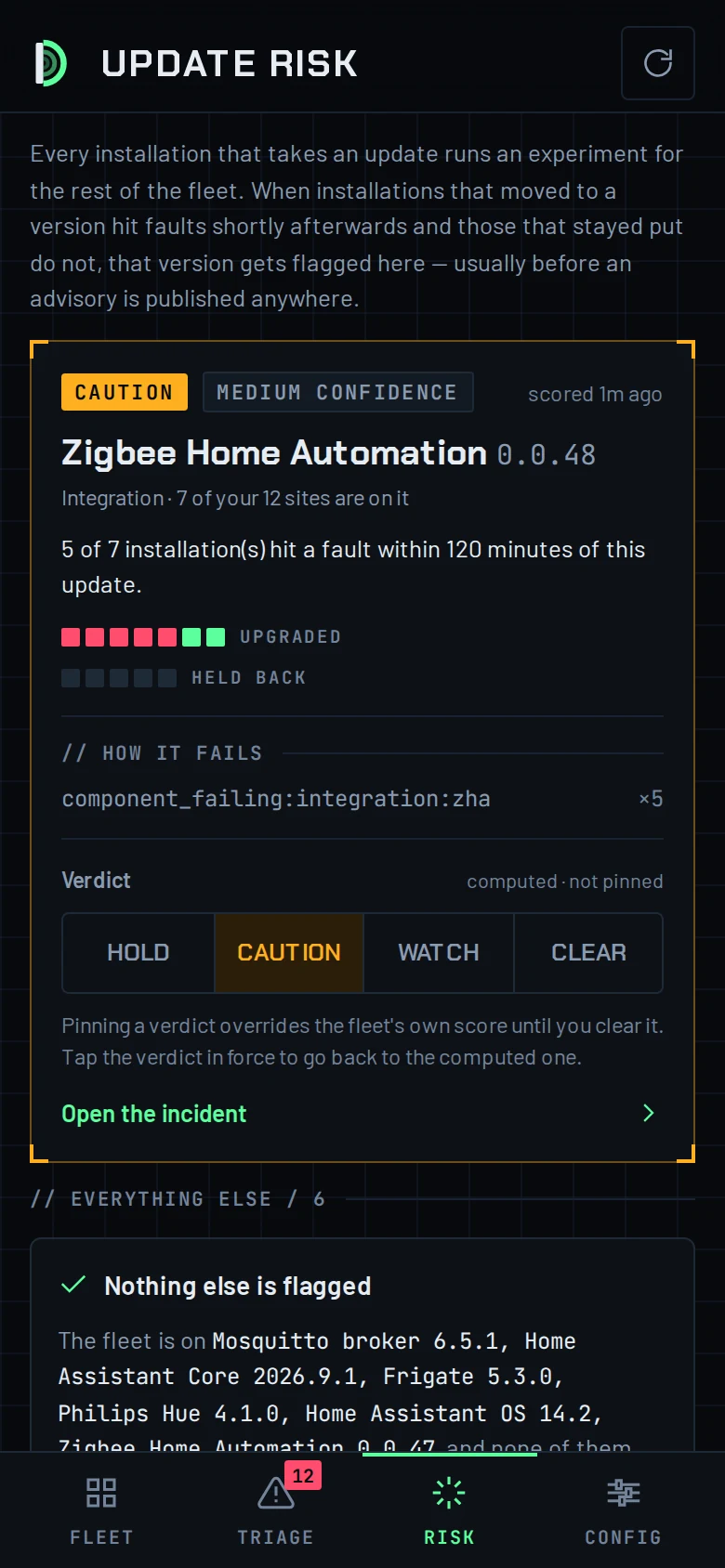
Update risk screen: Zigbee Home Automation 0.0.48 flagged Caution, 5 of 7 installations hit a fault within 120 minutes; verdict control Hold, Caution, Watch, Clear
Update riskUpdates get tested on the fleet before yoursEvery home that takes an update is a test for the rest. A version that causes faults gets flagged, and we do not put it on your house until it is fixed.
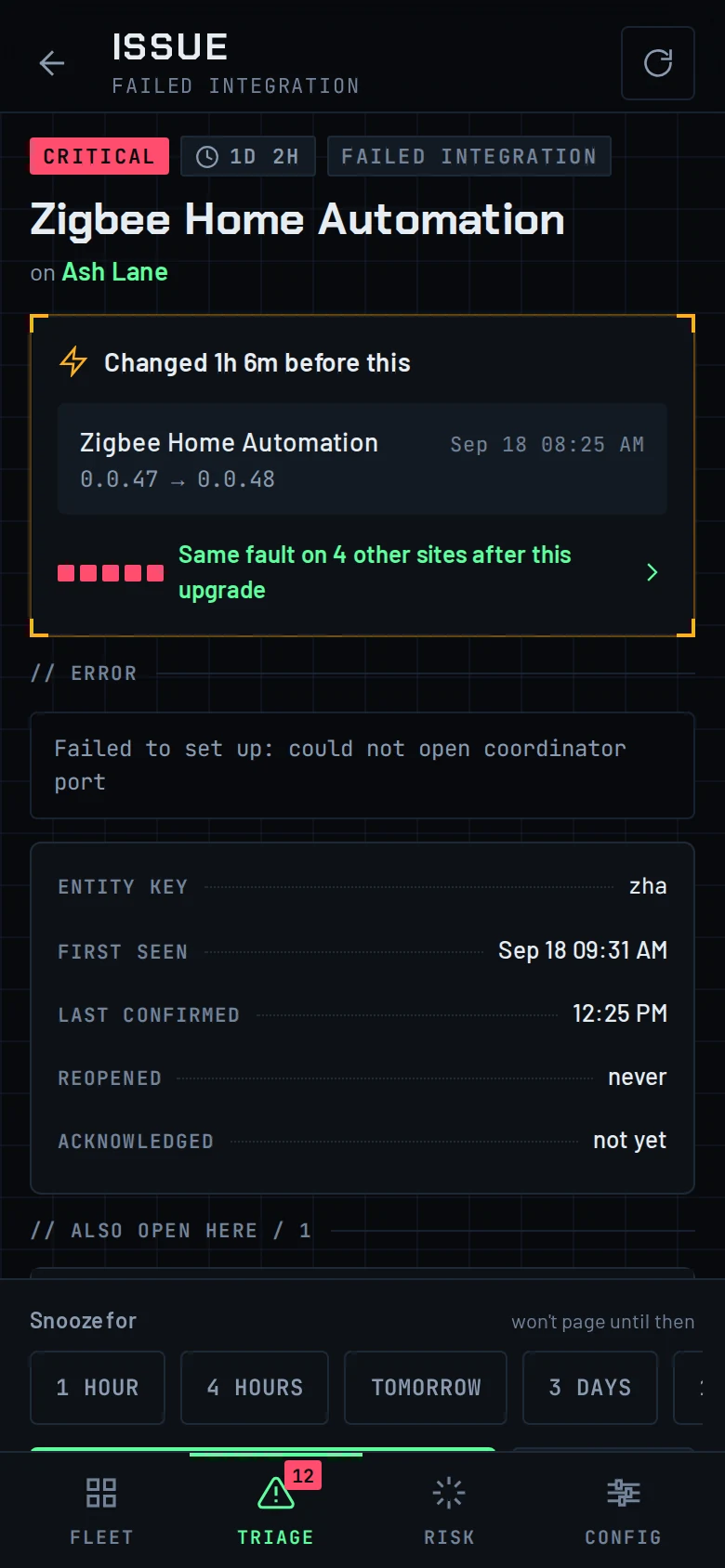
Issue screen: Zigbee Home Automation failed integration on Ash Lane, critical for 1 day 2 hours; changed 1h 6m before this: 0.0.47 to 0.0.48; same fault on 4 other sites
IssueEvery fault comes with what changed before itA fault is shown next to the update or change that preceded it, so the fix starts from the cause rather than the symptom.
REPORTINGPolling · 60s · offline check every 5 min
ALERTSPush to our phones · noise-budgeted
WHERE IT RUNSOur own server · no third-party cloud
WHAT IT SEESHealth, versions, faults · not your cameras

Nothing happens unless you agree.

When we need into your system remotely, you get a link. It says who is asking, why, what they can touch and for how long. You allow it or you don't. You can end it at any point, and you get a receipt of everything that was done.

Read-onlyLook at device state, settings and the error log. Nothing can be changed.
MaintenanceEverything in read-only, plus restarting things, reloading a broken device and running repairs.
FullFull control for the duration of the session, as if signed in on your own screen. Still on the receipt.

Software updates to the client in your home are signed. The server that schedules them never holds the key, so even a compromise of our server cannot put code into your house.
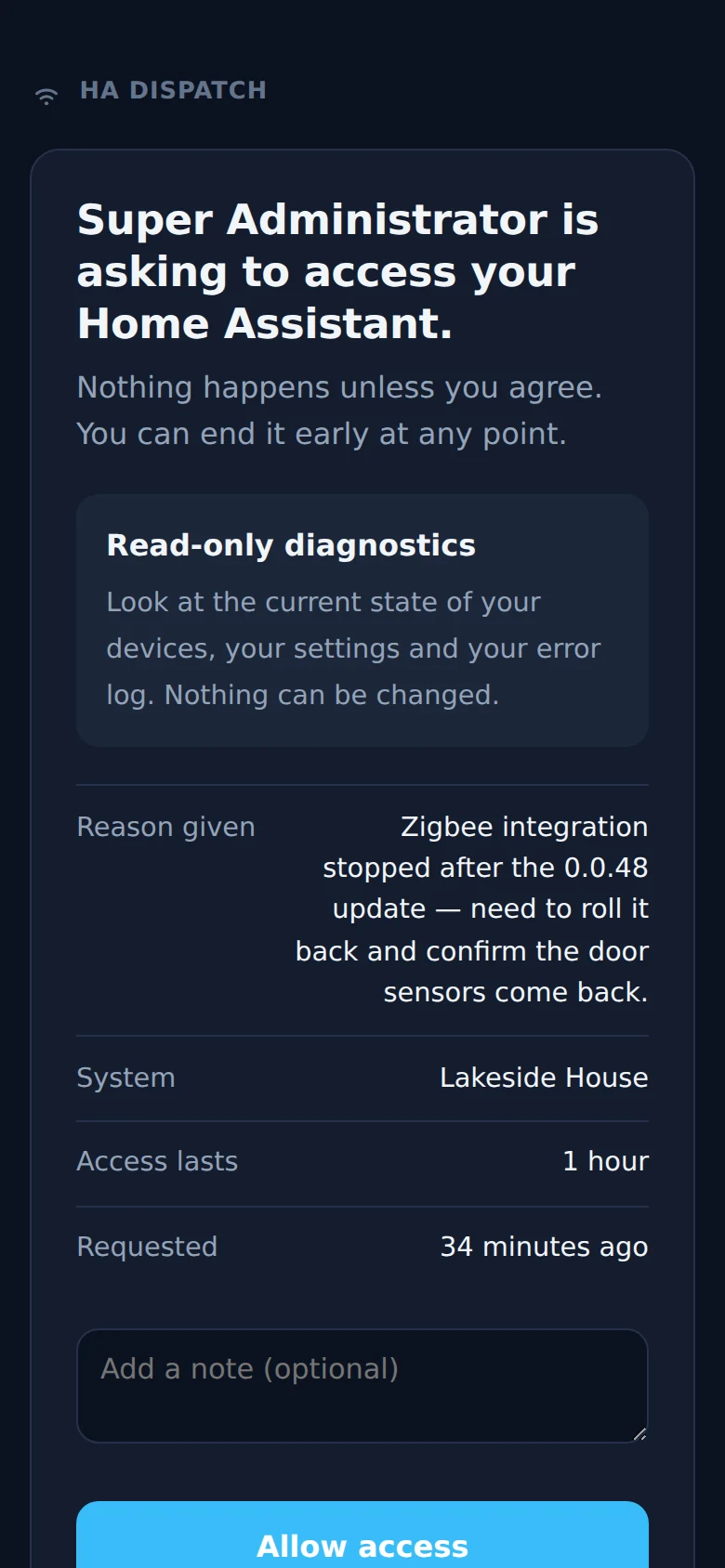
The consent page a homeowner receives: who is asking to access their Home Assistant, the read-only scope, the reason, that access lasts one hour, and Allow access or No, not now buttons
01

Site visit

We walk the house with you, take the plans or the measurements, and list what you want to control. You get a written quote.

[VISIT FEE OR FREE]
02

Install and configure

Hardware goes in, Home Assistant is set up, automations are written and tested with you in the room.

[TYPICAL DURATION]
03

Your screen

We model and render your home, mount the tablet, and walk everyone in the house through it.

[INCLUDED / PRICE]
04

Ongoing watch

Your home reports to Dispatch. We handle updates, catch faults, and fix them remotely with your consent or on site.

[PRICE] / MONTH

Tell us about the house.

Where it is, what you want to control, and whether you have plans. We reply within [RESPONSE TIME] with a time to come and look.

Phone[PHONE NUMBER]
AreaConnecticut · [RADIUS FROM SOUTH WINDSOR]